
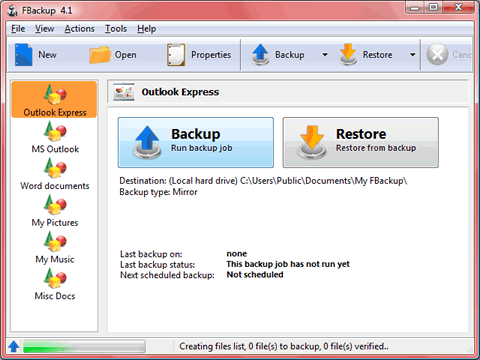
Next to antivirus protection, regular backups may be the single most important measure you should take to protect your PC, your data, and yourself, yet studies consistently show it's the preventative measure PC users neglect most. There is simply no excuse for not backing up your system, especially when you consider the following facts: (1) You have a lot of money invested in your hardware and software; (2) Your PC most likely contains files, records, and archives that are important to your life and well-being; (3) something is certain to go wrong; and (4) backups are easy, especially with excellent free backup utilities like FBackup around to do all the work for you. You can schedule regular backups, of course, but you can also choose full or partial backups, levels of compression, drive mirroring, backups of specific folders or files, and much more. It creates standard ZIP files that you can access with any compression utility.
FBackup is based on Backup4all, Softland's flagship product and a powerful backup solution. However, for most users, the freeware utility is more than enough. With a simple two-part interface and a wizard that explains each step, it's about as user friendly as backup utilities get. You can choose either an external device (recommended) or a network location to store your backup.
FBackup is free, and it's ready for Windows 7. It makes regular backups painless, and it produces high-quality backups that will help you recover your system quickly when, not if, something unpleasant occurs.


